
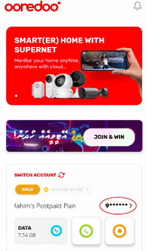
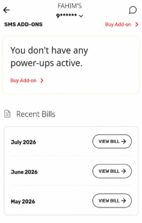
You can click on your number from the home page and scroll down to view your latest 3 bills.
Step 1
From the App’s home page, click on your number.
Step 2
You will be redirected to the account balance details.
Scroll down to view your latest three bills.
Click View Bill to see the detailed breakdown of charges.
You will only be charged for your new package based on the number of days it was active during the current billing cycle. Additionally, your bill will include the full monthly fee for the package benefits you will receive on the 1st of the upcoming month.
To better understand how your Postpaid bill is, please watch our quick guide on reading your Postpaid bill.
🎥 Watch the video: https://ore.do/knowyourbill
Your Postpaid bill is generated on the 1st of every month and will be due by the 21st of the same month.
To avoid any service interruptions, we recommend making your payment before the due date.
Absolutely! If you have an outstanding amount from only one invoice, you can request an extension by reaching our support.
Please note that the bill extension request period and the extension duration are subject to changes.
To help avoid any service interruptions, we recommend contacting us by the 19th of the month to check the available options.
Our team will be happy to assist you. 😊
We have Promise to Pay.
You are eligible for this service if:
To activate Promise to Pay:
No worries. If you have only one outstanding bill, you may be eligible for a 2-hour temporary reconnection.
To activate the 2-hour reconnection:
If you settle your outstanding bill within the 2-hour reconnection period, your line will remain active and will not be disconnected again. 😊
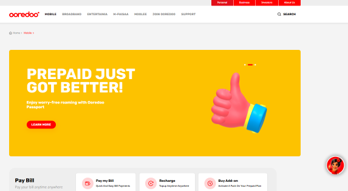
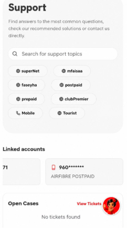
You can easily submit your complaint through Evee, our AI assistant, available on the Ooredoo App and website.
Ooredoo website
App > Help Section
To Report A Problem.
Open the Ooredoo App or visit the Ooredoo website. Click on Evee Icon which is displayed below.
Select Report a Problem from the main menu.
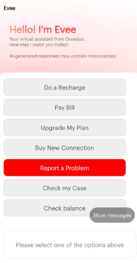
Select Report a Problem
Select the relevant category; for instance, Mobile along with subcategory and Sub category
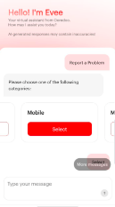
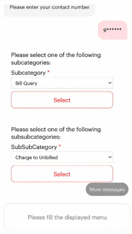
Provide the requested details about your issue.
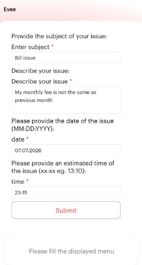
Submit your complaint.
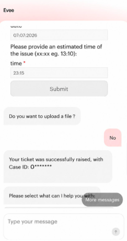
📌 Once your complaint is submitted, you will receive a Case ID as a reference for future follow-ups.
👨💼 One of our support agents will then get in touch with you to discuss the issue further and provide assistance. 😊
Yes. We offer an Itemized Bill service for Postpaid numbers, excluding Bill Control plans, which includes details such as your call records.
A fee of MVR 15 will be charged for this service.
How to request?
⚡ Your email address will be updated within the same day, and you will receive confirmation via email once the update is completed. 😊
You can also pay your bill through:
✅ The most convenient way would be adding the related service to the Ooredoo SuperApp, where you can track the bill amount and pay seamlessly.
We offer an E-Bill service, where your monthly bill will be sent directly to your registered email address.
How to subscribe?