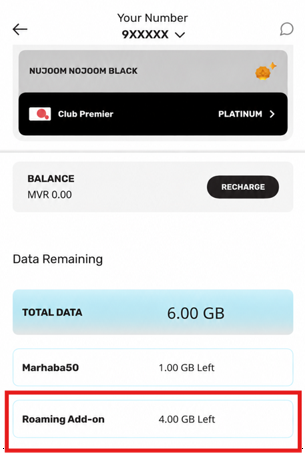
The previous roaming activation steps have been revamped to offer a simpler, add-on-based process. You can now activate roaming easily by purchasing one of the new Ooredoo Passport Roaming Add-ons through the Ooredoo App.
No additional deposit or lengthy activation process is required. You can also track your roaming data usage through our app, helping you stay in control of your usage and avoid unexpected charges.
· Roaming services are available only while a valid roaming add-on is active.
· Roaming services will stop when the add-on expires.
· Once the roaming data allowance is used up, data services will stop, while voice calls and SMS remain available.
· Voice calls and SMS remain available during add-on validity period and are charged at applicable pay-as-you-go roaming rates.
· A new roaming add-on is required to continue using roaming services after add-on expiry.
Open the Ooredoo App and scroll down to the Add-ons section.
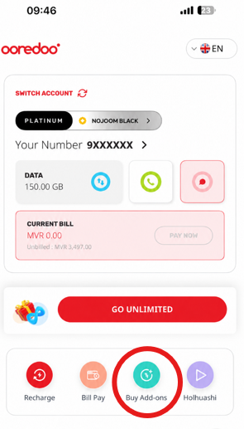
Navigate to the Roaming category to view all available roaming add-ons.
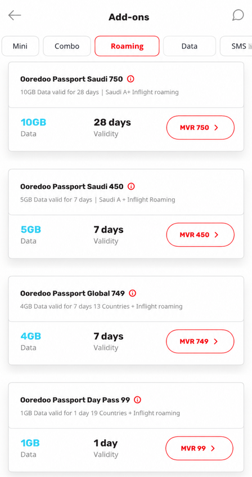
Select the roaming add-on that best suits your travel destination and usage requirements, then proceed with payment.
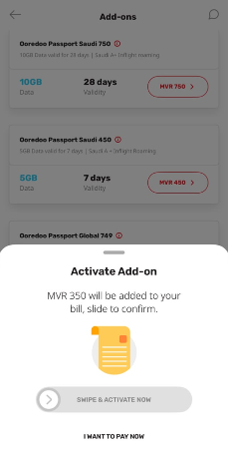
Once the purchase is successful, roaming services will be activated automatically. Ensure that roaming is enabled in your device settings before use.
.png)
View your roaming data usage via the Data Remaining section.